
Morse Code Translator
Use our free Morse Code Translator to easily convert text to Morse Code or decode Morse Code back to text.
Download Morse Code Translator App
What is Morse Code?
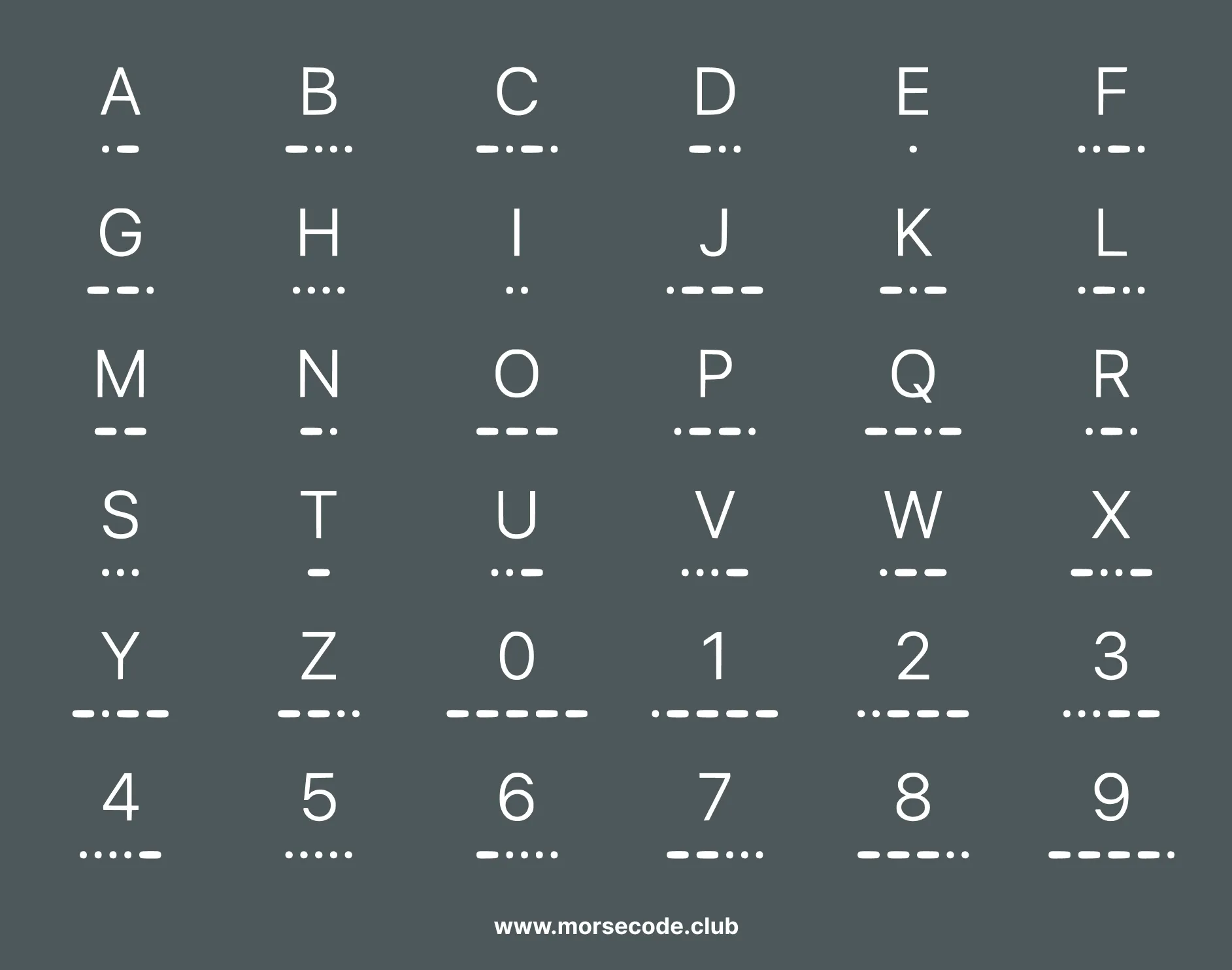
Morse Code is a communication system that encodes letters, numbers, and symbols using short "dots" (.) and longer "dashes" (-). Originally developed for telegraph systems, it remains one of the simplest and most universal ways to transmit messages. Use our free Morse Code Translator above to convert any text to Morse code instantly.
Want to go deeper? Explore the full Morse Code Chart or start learning Morse Code interactively.
How to Use the Morse Code Translator
The Morse Code Translator converts text to Morse code and Morse code back to text as you type. Nothing to install and nothing to sign up for — here is the whole workflow in three steps.
Enter Your Text
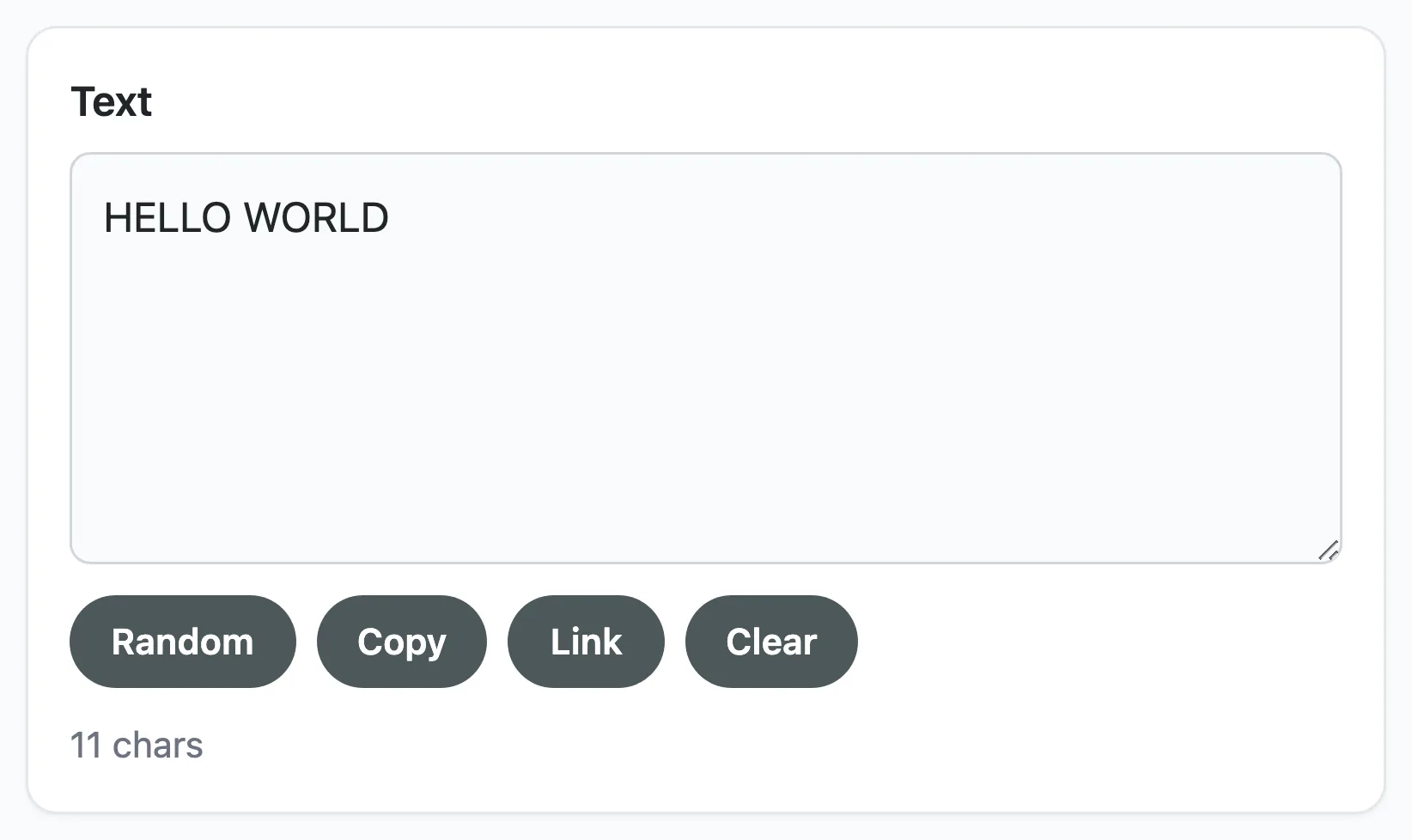
Type or paste your message into the Text box on the left. Letters, numbers and common punctuation are all supported, and translation happens as you type — there is no button to press.
Not sure what to try? Random drops in a sample phrase. Copy puts your text on the clipboard, Link copies a shareable URL, and Clear empties both boxes at once.
Read the Morse Code Output
Your message appears on the right as dots and dashes. Letters are separated by a single space and words by a forward slash (/). Any character the translator cannot encode is shown as #.
This works in both directions: paste Morse code into the right-hand box and the plain text appears on the left. The counters below each box show how many characters and signals you have.
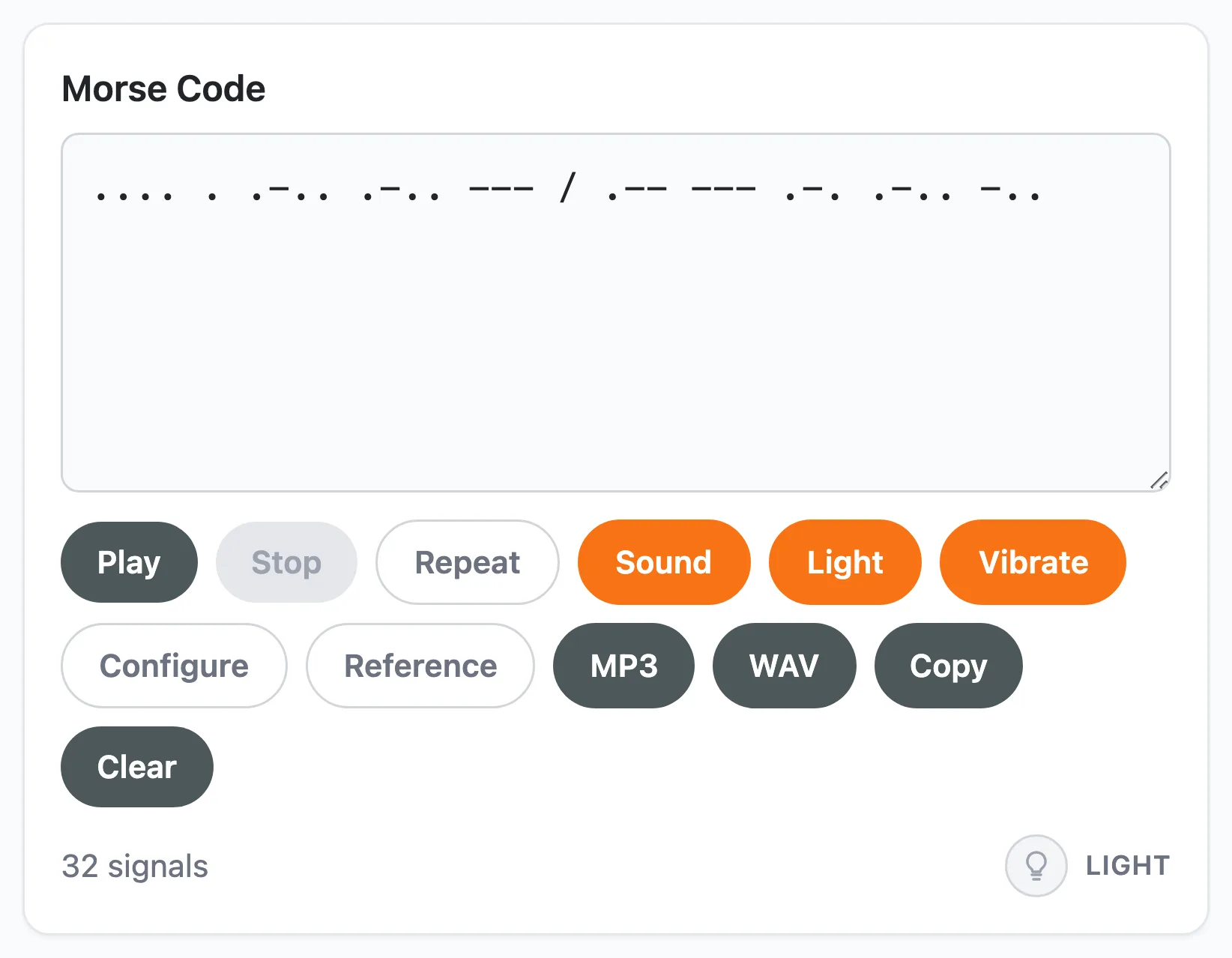
Play, Flash or Vibrate the Signal
Press Play to send the message. Three output switches decide how it is sent, and you can turn on any combination of them:
- Sound — the classic telegraph beeps.
- Light — a signal lamp flashes in time with the code.
- Vibrate — your phone buzzes the pattern (mobile only).
Repeat loops the message, and Stop ends playback at any time.

Morse Code Translator Features
Most translators stop at dots and dashes on a screen. This one also plays the message, flashes it, buzzes it, saves it as audio and remembers how you like it set up.

Instant Two-Way Translation
Text becomes Morse code the moment you type, and Morse code becomes text just as fast. Copy either side to the clipboard, or press Link to copy a shareable URL that opens the translator with your message already loaded.

Sound, Light and Vibration
Send your message three ways at once: audible beeps, a flashing signal lamp and phone vibration. Every output runs off the same timing, so the flashes and buzzes stay locked to the sound.

Visual Signal Lamp
With Light switched on, a lamp in the corner of the Morse panel blinks the message — short for a dot, three times longer for a dash. It is the easiest way to see the rhythm that operators once flashed between ships.

Adjustable Audio
Open Configure to set speed from 5 to 40 WPM, pitch from 300 to 1000 Hz, volume, and the waveform. Slow it right down while you are learning, then push the speed up as your ear improves.
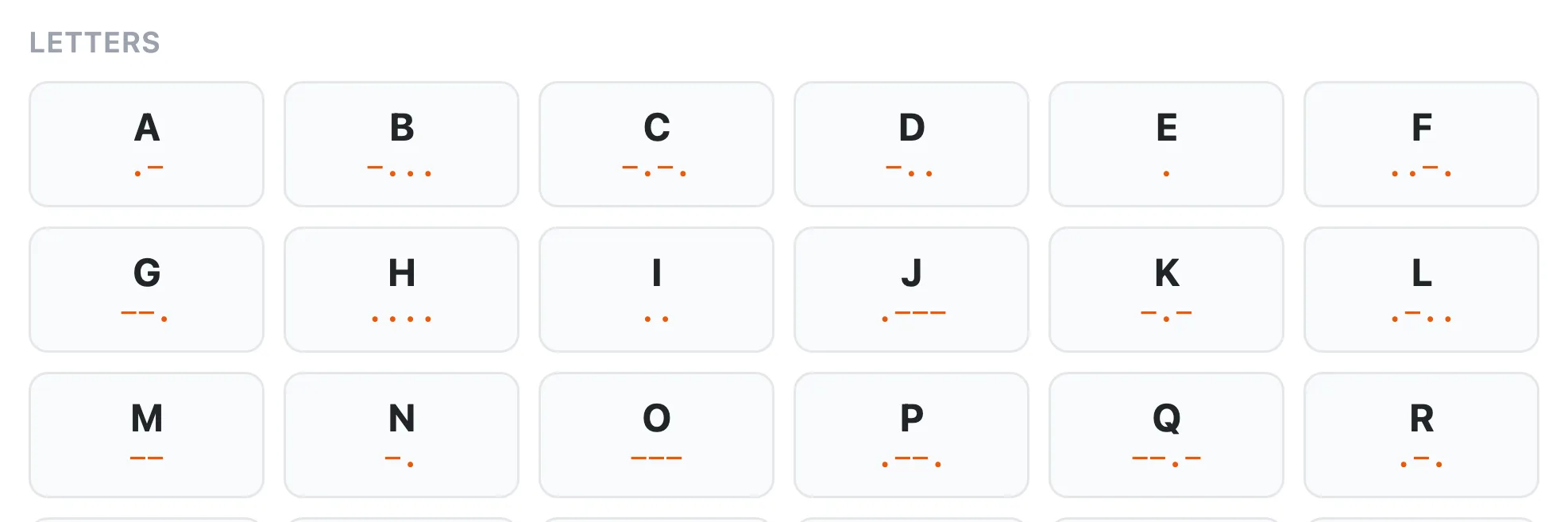
Built-In Reference Chart
Press Reference for the full chart of letters, numbers and punctuation without leaving the page. It lists exactly the characters the translator can encode, so what you see is what you can send.

Download as MP3 or WAV
Save your message as an audio file to use in a video, a lesson or a puzzle. MP3 keeps the file small for sharing; WAV stays uncompressed for editing.
Your switches and audio settings are saved in your browser, so the translator opens the way you left it. Nothing is uploaded — every translation happens on your own device.
Explore the Many Uses of the Morse Code Translator
Anyone can use the Morse Code translator for entertainment, educational or professional purposes. You can use the tool to:
- Learn and practice Morse code: Improve your skills by familiarizing yourself with the Morse code alphabet and practicing encoding and decoding.
- Recognize common signals: Discover frequently used Morse code words and phrases, such as the SOS distress signal (... --- ...) or how to say "I love you" in Morse code.
- Send secret messages: Encode and share hidden messages with friends on WhatsApp, Instagram, or other platforms for a fun and cryptic conversation.
- Decode hidden messages in games and movies: Many video games, films, and TV shows include Morse code as a hidden Easter egg—use the translator to uncover them!
- Use in outdoor survival and escape games: Morse code is a valuable skill in survival situations, escape rooms, and puzzle-solving challenges where coded signals are essential.
For example, do you remember the iconic Nokia SMS tone? Load ... -- ... into the translator to see its English translation, then press Play to hear why the tone sounded like that.
Where Morse Code Is Still Used Today
Samuel Morse tapped out What hath God wrought? between Washington and Baltimore in 1844. Nearly two centuries later his code has outlived the telegraph, the spark-gap transmitter and the shipboard radio room — and it is still on the air right now, on navigation frequencies, amateur radio bands and at least one phone keyboard.
Aircraft Beacons Announce Themselves in Morse
Tune an aircraft receiver to a VOR or NDB navigation beacon and you will hear two or three letters repeating in Morse, over and over. That identifier is how a pilot confirms the needle on the instrument is pointing at the station they think it is, and not at another beacon two hundred miles away. Satellite navigation never retired the practice — a tone a human can verify by ear is a useful last line of defence.
Radio Operators Kept It After They Were Allowed to Stop
The United States dropped the Morse requirement from amateur radio licensing in 2007, and CW — continuous wave, the operators' own name for Morse — carried on regardless. A CW signal occupies a sliver of the bandwidth that speech needs and stays readable long after a voice has dissolved into static, so operators running only a few watts still reach across oceans with it. Nobody makes them. They like it.
SOS Outlived the System That Created It
The 1906 Berlin radiotelegraph convention chose SOS as the international distress call, not as an abbreviation but because three dots, three dashes and three dots run together are almost impossible to mistake for anything else. Maritime Morse was formally retired in 1999 when satellite distress systems took over, yet the pattern survives — because it needs no radio at all. A torch, a mirror, a whistle, or a stone struck against a pipe will carry it.
A Keyboard for People Who Cannot Use One
In 2018 Google added Morse input to the Gboard keyboard on Android, developed with Tania Finlayson, who has cerebral palsy and had used Morse to communicate for decades. Two inputs — one short, one long — become a full keyboard. A code designed for a telegraph key in the 1840s turns out to be an efficient way to write when you have exactly two reliable movements.
Puzzles, Games and Sound Design
Blinking lights, a rhythm tapped on a pipe, beeps buried in a background loop: Morse is a staple of escape rooms, alternate reality games and film sound design. It works as a puzzle because it is solvable — an audience that pays attention really can decode it, which is the part that makes solving it feel earned rather than arbitrary.
The First Lesson in Encoding
Morse gave the shortest codes to the letters English uses most: E is a single dot, T a single dash, while the rare Q and Y take four signals each. That is compression by hand, a century before anyone wrote it down as theory. Morse is often a student's first encounter with the idea that meaning can be carried by timing alone — on or off, short or long, one unit or three — and it is small enough to learn in an afternoon.
Every code above is generated from the same table the translator itself uses, so what you see here is exactly what you will hear when you press Play. Try any of them, or look up a character in the full Morse code chart.